Property boundary app for real estate agents
On this page
A buyer asks for the mapped lot size mid-inspection, or wants to know how close the boundary really comes to next door, and "I'll follow up after I check the title" is the answer that loses momentum. Search any listed address on MapMyLot and get the boundary polygon, lot size, and perimeter in seconds - on-site, from a phone, without waiting for a title search or digging through a council portal. For agents preparing an appraisal or fielding a buyer's question about mapped lot size, that is often the difference between answering on the spot and following up later.
Try MapMyLot on your next listing - free to start
Check an address freeUnlimited lookups and unlimited PDF reports are part of Pro (A$19.99/month).
What shows up in the readout
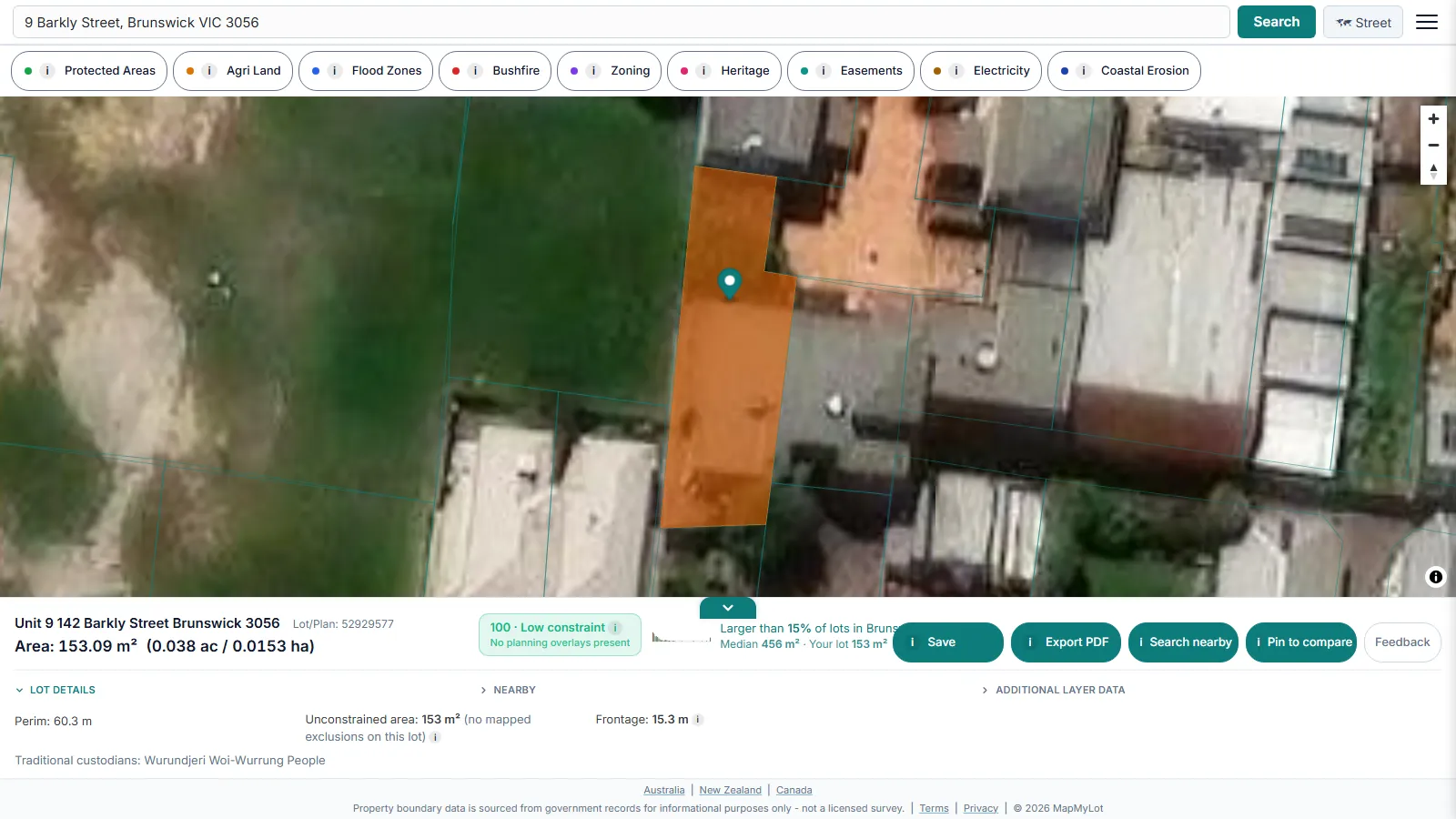
Beyond area and perimeter, the readout shows straight-line distance to the nearest high-voltage power line, mapped flood zone, the coast, and the nearest park, where data covers the location - genuine talking points for a listing, sourced from government cadastral and hazard data (coordinated nationally in Australia by ICSM, the intergovernmental cadastre coordination body) rather than a listing description's marketing language.
Comparing two lots for a buyer
The compare view lets you pin two properties side by side and see land area, perimeter, unconstrained area (buildable area), frontage, and every proximity metric in one table with the larger or closer value highlighted - useful when a buyer is deciding between two listings, or you're benchmarking a new listing against a recent comparable sale.
Free versus Pro
Five lookups a day are free, no account needed - enough for occasional use. Pro, at A$19.99 a month, removes the daily limit and includes unlimited PDF boundary reports, useful for attaching to a listing pack without paying per report. A single PDF report is also available for A$4.99 without a subscription. See full pricing if you're running more than a handful of lookups a week.
Note: cadastral boundary data is subject to positional variation by location and source dataset and is sourced from government records for informational purposes - not a substitute for a licensed survey when precision matters legally.
Data coverage
MapMyLot's cadastral coverage spans:
- Australia: Queensland, New South Wales, Victoria, Tasmania, and the ACT
- Canada: British Columbia, Manitoba, New Brunswick, and Yukon
- New Zealand
- UK: England, Wales, and Scotland
Useful for agents whose listings or referral network cross state or country lines, without switching tools per jurisdiction.
Because the boundary, area, and proximity readouts come from the same government cadastral and hazard datasets across every covered jurisdiction, an agent working listings in more than one state or country gets a consistent readout format everywhere, rather than learning a different portal's layout per region.
Related checks
See how MapMyLot compares to Landchecker, or check a property's proximity to power lines, flood zones, the coast, and parks.
Try MapMyLot on your next listing - free to start
Check an address freeUnlimited lookups and unlimited PDF reports are part of Pro (A$19.99/month).
Frequently asked questions
Can I use MapMyLot on-site at a listing or open home?
What does the free plan include?
What does Pro add for an agent?
Is my area included?
MapMyLot covers:
- Australia: Queensland, New South Wales, Victoria, Tasmania, and the ACT
- Canada: British Columbia, Manitoba, New Brunswick, and Yukon
- New Zealand
- UK: England, Wales, and Scotland
If a listing falls outside these areas, search the address directly to confirm. MapMyLot will not show a boundary rather than guessing at one.